
| Estimated Time | Up to 2.5 hours depending on your configuration |
| People Required | 1-2 people |
| Difficulty | Intermediate (Advanced if using a forklift) |
| Tools Required | Forklift (optional), platform or step ladder, 8mm nut driver, 2.5mm Allen key, crowbar or pry bar, hammer, drill or impact driver (crate only), adjustable spanner, pair of pliers, flat-head screwdriver, pipe cutter, safety gloves, steel-toe boots, eye protection, hard hat |
Watch the video
Prefer to follow along? Watch the full walkthrough below, then use the written steps as your reference.
This video is slightly out of date and may not match your equipment exactly. Use it as a general guide, but if anything differs, follow the written instructions below — or contact Technical Service if you're unsure.
Before You Begin
Welcome to the assembly guide for your SOVDA Lift. Before you start, there are a few important things to note.
Read this guide in full before starting. The order of assembly matters — some steps are much harder to correct once later steps are completed. In particular, the orientation of the cyclone inlets should be decided before installation, as adjusting them afterwards is significantly more difficult.
Lift pipe runs can vary between equipment models. The run below is the standard configuration for a lift to a Pearl Mini, and it's correct for most setups. Some things can change it — a taller base, a longer horizontal run needing extra slowing pipes, a Double Cyclone, or a Lance — and if any of these apply to you, your Technical Brand Ambassador will have already told you how your build differs from the standard run shown here.
If you haven't been told your setup varies, follow the steps below as they are. If you're not sure whether yours is standard, stop and contact Technical Service before continuing.
If you haven't been told your setup varies, follow the steps below as they are. If you're not sure whether yours is standard, stop and contact Technical Service before continuing.
Double Cyclone and Lance: If your order includes a Double Cyclone or Lance, follow this guide first and refer to the dedicated articles at the relevant steps:
If at any point you are unsure or uncomfortable, stop and contact Technical Service before continuing.
What's in the Crate
Once you've opened the crate, you should find the following:
- Cyclone
- Hopper
- Pipe run components (pipes, seals, and clamps)
- Canister vacuum or SOVDA Vacuum Box (depending on your order)
- Control box and cables
- Part packs (containing fittings, push-fit connectors and fixings)
Work through your paper packing list to confirm everything is present. If anything is missing or damaged, contact Technical Service within 48 hours of delivery.
Step 1 — Open and Uncrate the Lift
Up to 30 minutes - 2 people
The Lift ships in a wooden crate with a removable top panel. Using an 8mm nut driver, remove the screws around the edges of the top panel. Some crates may also have nails, if so, use a crowbar and hammer to work from corner to corner until the panel comes loose.
Before touching anything inside, photograph the contents including the gaps between the equipment and the crate walls. These photos are essential if a damage claim needs to be made.
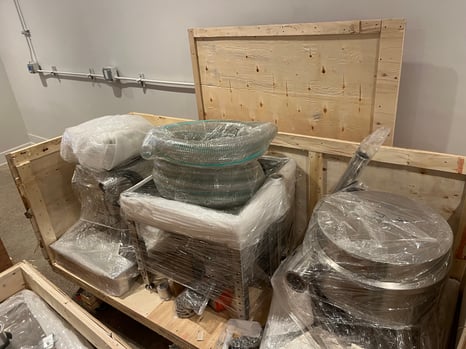
Remove a side panel using the same method, with one person holding the panel and one working the fixings. Check all items against your packing list and photograph anything that looks damaged. If anything is missing or damaged, contact Technical Service within 48 hours of delivery.
Step 2 — Prepare the Cyclone
Up to 15 minutes | 1 person
Before installing the cyclone, take a moment to decide where your hopper and vacuum will be positioned. The two inlet pipes on the cyclone — the lower, thicker bean inlet and the upper, thinner vacuum outlet — can both be rotated to face any direction. This is much easier to do now than once the cyclone is installed.
If available, we recommend lifting the cyclone on the forks of a forklift, or alternatively you can use the base of the Precision Fill.
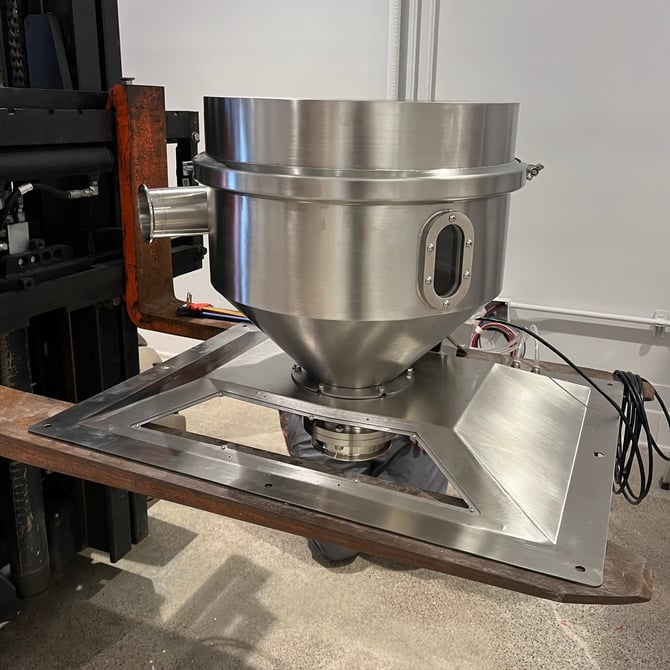 |
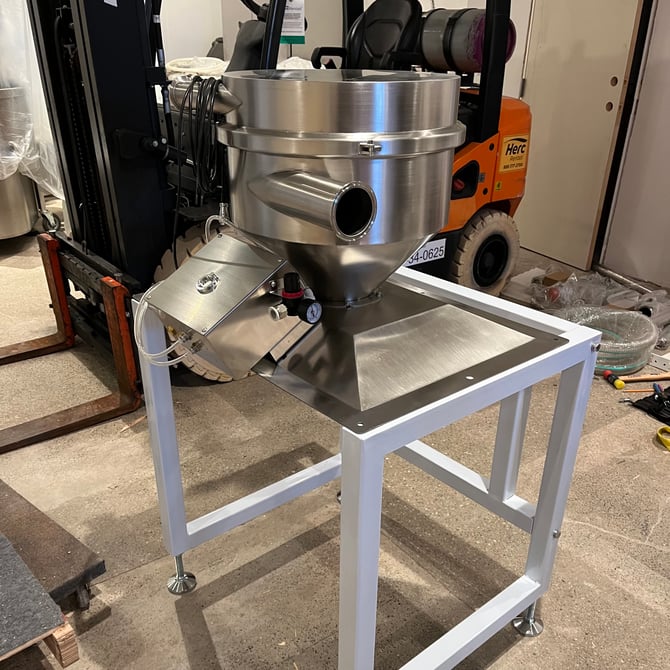 |
Adjusting the coffee inlet (lower, thicker pipe)
Loosen, but do not remove, the bolts on the lower collar part of the cyclone. Slightly loosen, but do not remove, the tri-clamp inside/underneath the cyclone.
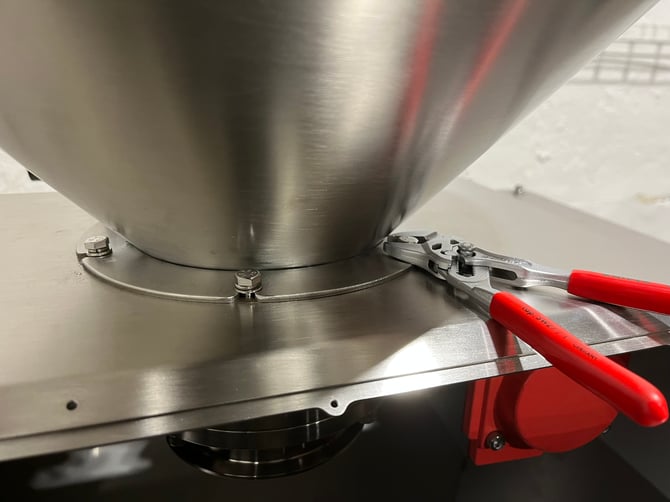
|
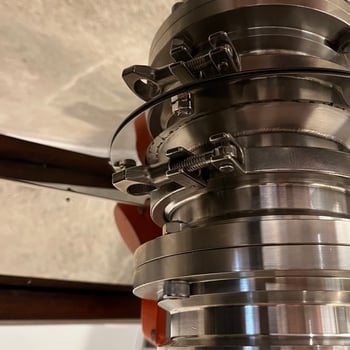 |
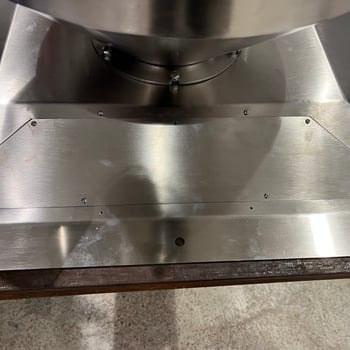
While holding the orange butterfly valve on the underside to stop it spinning, rotate the top of the cyclone until the inlet faces your desired direction. Leave the bolts slightly loose so you can make final adjustments during the lift run build. We also recommend you install the cyclone access plate at this point by unscrewing the bolts with a 2.5mm Allan key, and screwing the plate in.
Adjusting the Vacuum connection point (upper, thinner pipe)
Undo the tri-clamp that runs around the centre of the cyclone and carefully separate the two halves — you may need to gently pry them apart. Rotate the top half to your desired position, making sure the rubber seal is aligned, then refit the clamp and tighten. Use a mallet to knock the sides of the clamp to help tighten the tri-clamp fully, it is essential this is as tight as possible.
Step 3 — Install the Cyclone
Up to 15 minutes | 1-2 people
The cyclone is heavy. This step requires either a forklift, or two people and a platform or step ladder at a safe and comfortable working height.
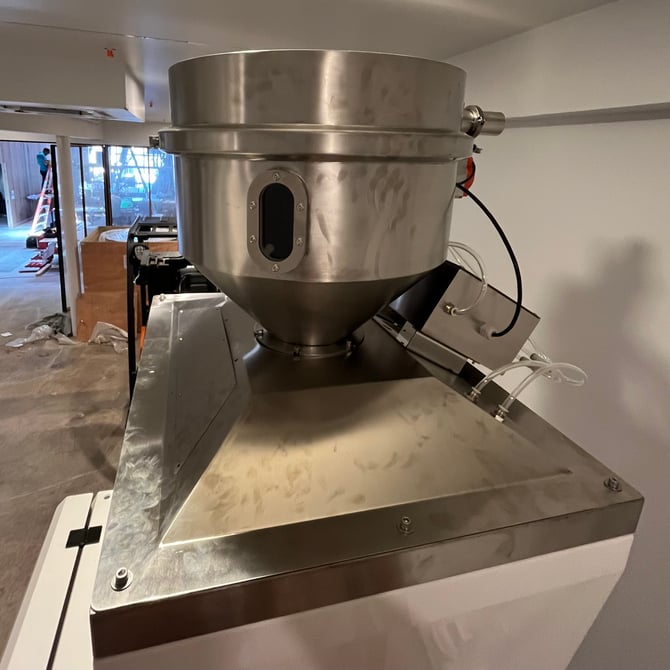
If your Lift connects to a Pearl Mini or Precision Fill, make sure the mounting screws on top of your equipment are loosened before lifting the cyclone into place.
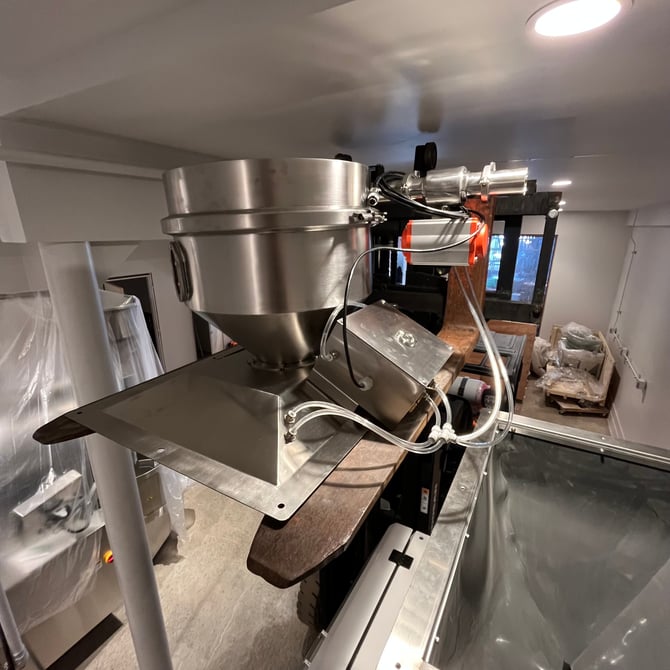
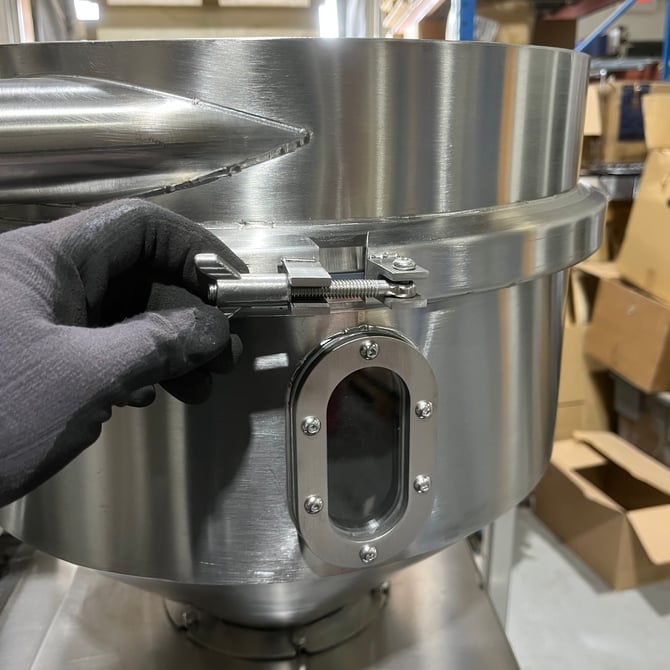
Using a forklift or two people with a platform, carefully raise the cyclone and position it over the top of your equipment. Lower it into place and secure using the six screws on the mounting plate.
 |
 |
Do not slide the cyclone across from the forklift to the equipment. The butterfly valve on the underside sits lower than the mounting plate — sliding will damage it. Always lift clear and lower straight down.
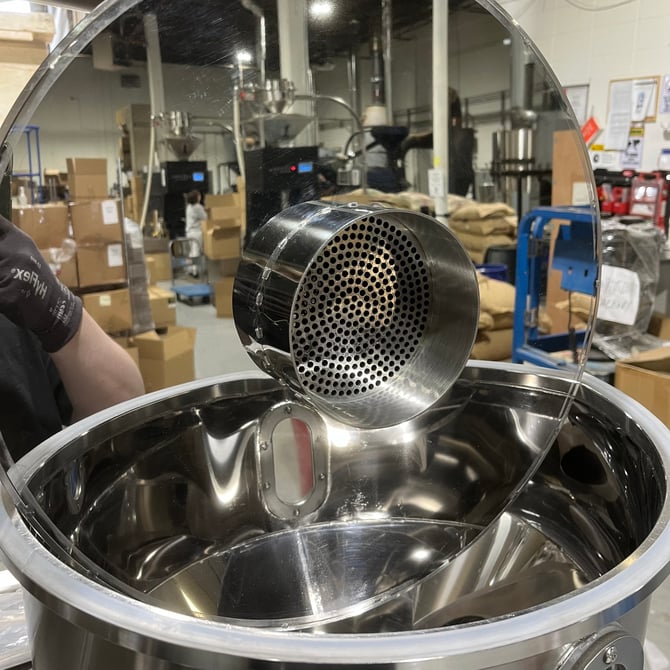
If carrying the cyclone, you can reduce the weight by taking off the top part of the cyclone, by removing the tri-clamp and the top.
 |
 |
Step 4 — Connect the Vacuum
Up to 15 minutes | 1 person
Canister vacuum
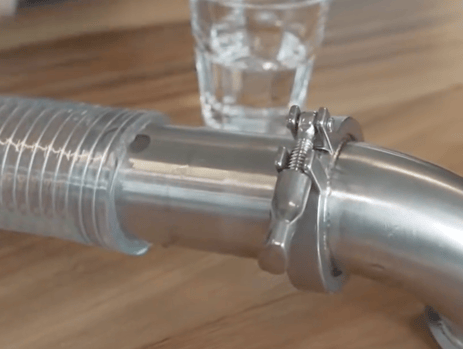
Fit the elbow and flexi-pipe adapter directly onto the cyclone outlet. Slide the 51mm flexi-pipe onto the adapter, leaving the opening around three-quarters open. Run the flexi-pipe to the canister vacuum and secure at both ends using the screw clips.
SOVDA Vacuum Box
Fit the elbow and flexi-pipe adapter onto the cyclone outlet and secure with a screw clip. Fit the second flexi-pipe adapter to the SOVDA Vacuum Box and connect the flexi-pipe between the two, securing both ends with screw clips.
Step 5 — Connect the Three-Way Valve (SOVDA Vacuum Box only)
Up to 10 minutes | 2 people
If you have a canister vacuum, skip this step and move to Step 6.
From your part packs, find the two 8mm elbow push-fit connectors with threads. Using a spanner, fit one into port A and one into port B on the three-way valve.
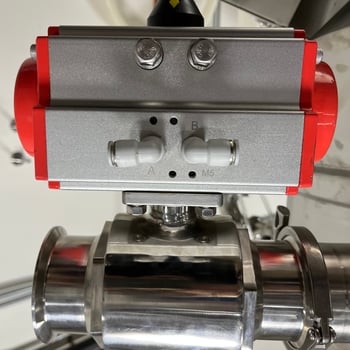
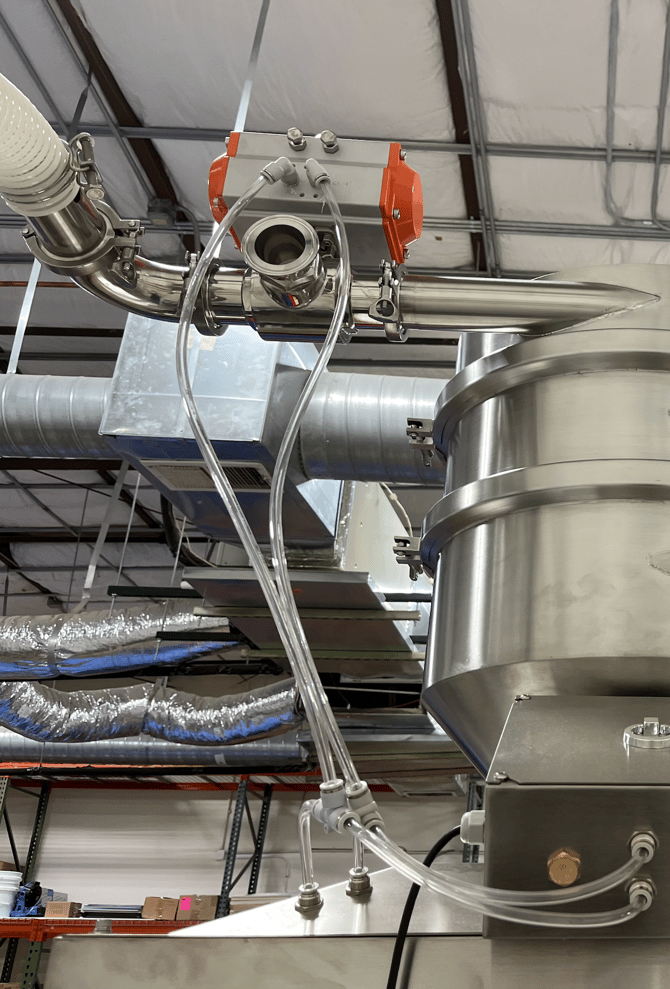
Using a clamp and seal, attach the three-way valve to the vacuum outlet pipe on top of the cyclone — a second person will help hold this in position.
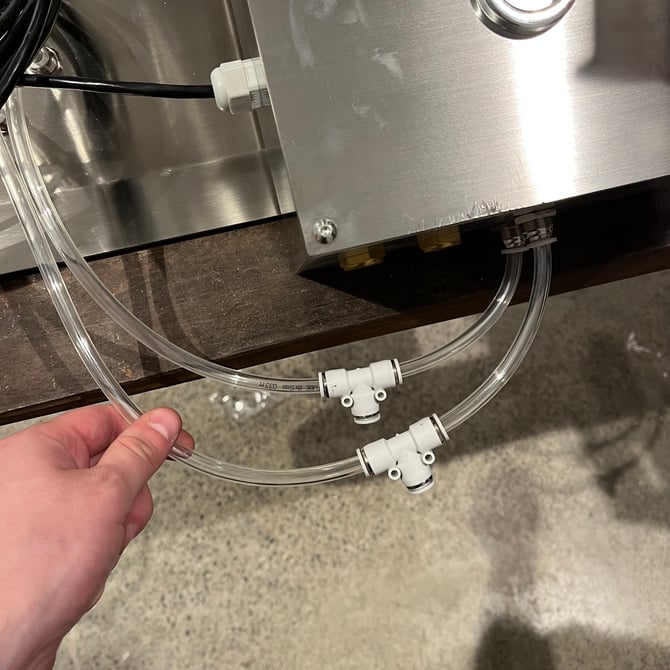
One at a time, cut the pipes from the solenoid box and fit an 8mm T-connector to each. Take care not to mix the pipes up. Using the 8mm flexi-pipe included, connect the top pipe from the solenoid box to port A on the valve, and the bottom pipe to port B on the valve.
|
|
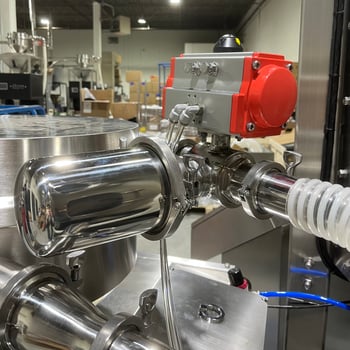
Lastly, you can install your muffler onto the open end of the connection.This isn't required, but helps reduce noise.
Step 6 — Build the Lift Run
Up to 30 minutes | 1–2 people
Pipe runs can vary between equipment models. The run below is the standard configuration for a lift to a Pearl Mini, and it's correct for most setups. Some things can change it, such as a taller base, a longer horizontal run needing extra slowing pipes, a Double Cyclone, or a Lance, and if any of these apply to you, your Technical Brand Ambassador will have already told you how your build differs from the standard run shown here.
.gif?width=500&height=500&name=Lift%20Animation%20V5%20-%204%20(1).gif)
Position your hopper in its final location and begin connecting the pipe run between the hopper and the cyclone using the pipes, seals and clamps from your parts. Make sure all clamps are tightened firmly, any loose connections will cause air leaks and affect performance.
Every lift run must include at least one wider slowing pipe (76mm diameter). The longer your horizontal run, the more slowing pipes you'll need, your Technical Brand Ambassador will have calculated this for your specific setup. If you have more than one, make sure all are installed along with the 51mm to 76mm adapter.
For a standard lift to a Pearl Mini without a base, the recommended pipe run is:
Hopper (at 720mm) → 400mm pipe → sight glass → 770mm pipe → 600mm curved elbow → 51mm to 76mm adapter → 300mm wide pipe → cyclone
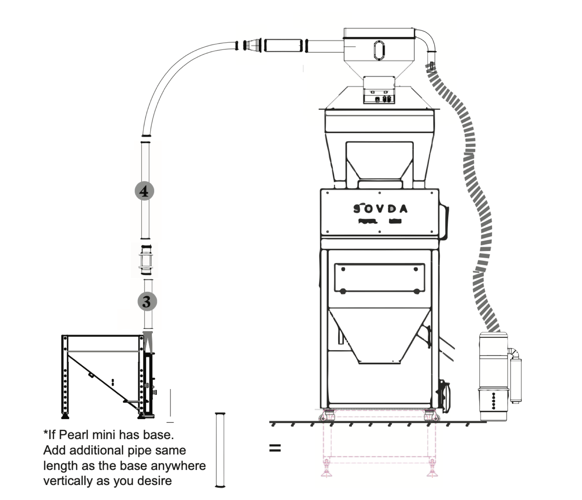
If your Pearl Mini sits on a base, add extra pipe of the same length as the base height anywhere on the vertical section of the run.
If you have a Double Cyclone, refer to Installing your Double Cyclone at this stage.
If you have a Lance, refer to Installing the Lift Lance at this stage.
Adjust the feet and leg bolt positions to achieve the correct height and make sure the hopper is level by adjusting the feet and tightening the locking nuts.
Step 7 — Connect the Control Box
Up to 15 minutes | 1 person
Your control box can be fitted in one of two ways: fixed directly to a wall, or the side of your Precision Fill, or hung from the side of your Pearl Mini or a hopper using the J hangers supplied. Choose whichever suits the space around your machine.
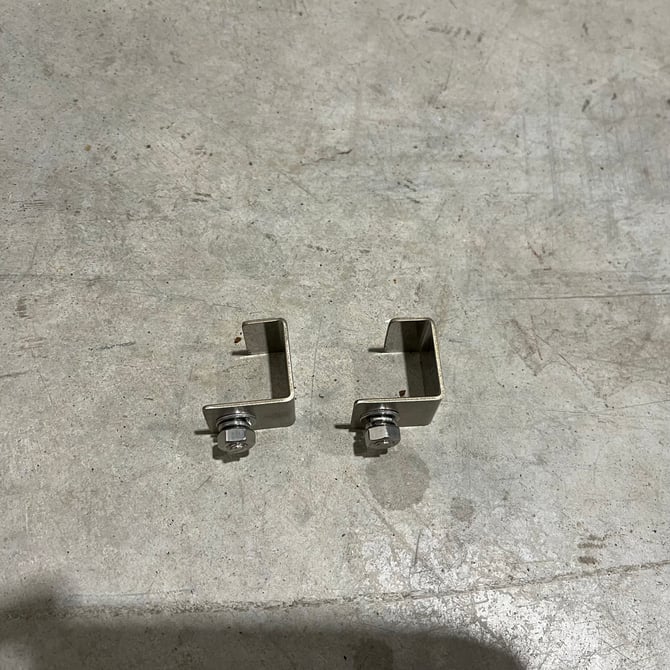
Hang the box using J hangers
Find the two mounting holes near the top of the control box. Bolt one J hanger to each hole using the bolt, washer, and nut supplied. Finger-tighten first, then use a spanner to secure firmly.
 |
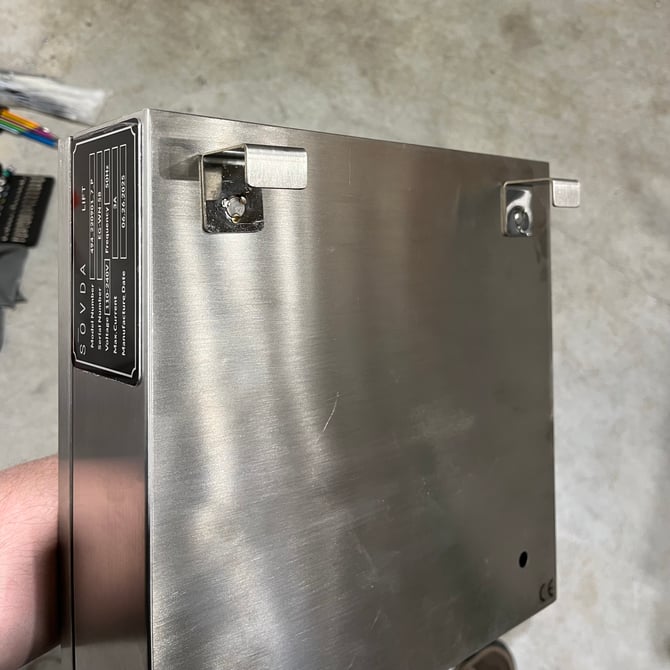 |
With both hangers attached, lift the box and hook the J-shaped end of each hanger over the top edge of the Pearl Mini's side panel, loading hopper, or vacuum box door.
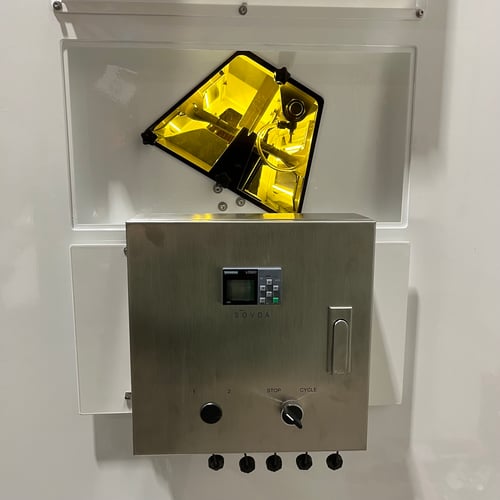
Run the cables neatly from:
- The solenoid box on the cyclone to the control box
- The control box to the vacuum (canister vacuum or SOVDA Vacuum Box)
- The control box to your power supply
All cables are labelled, and each input on the control box is clearly marked. Match the labels and connect accordingly.
Step 8 — Adjust the Air Regulator
Less than 5 minutes | 1 person
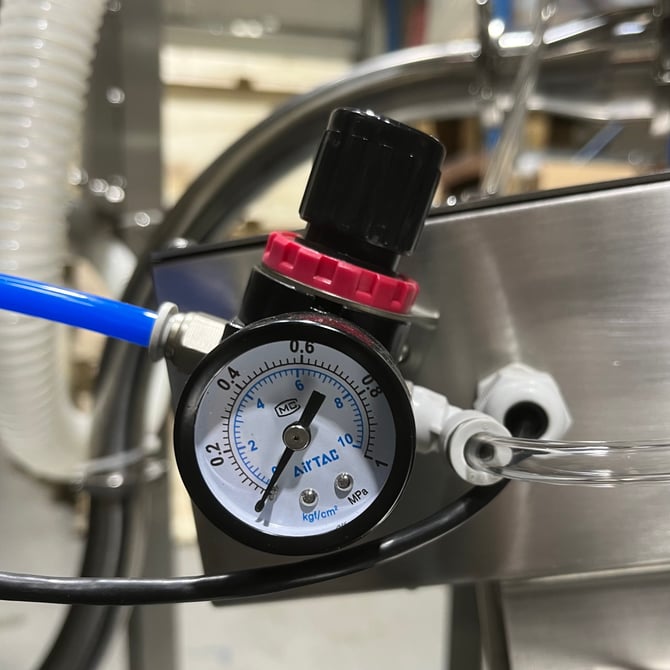
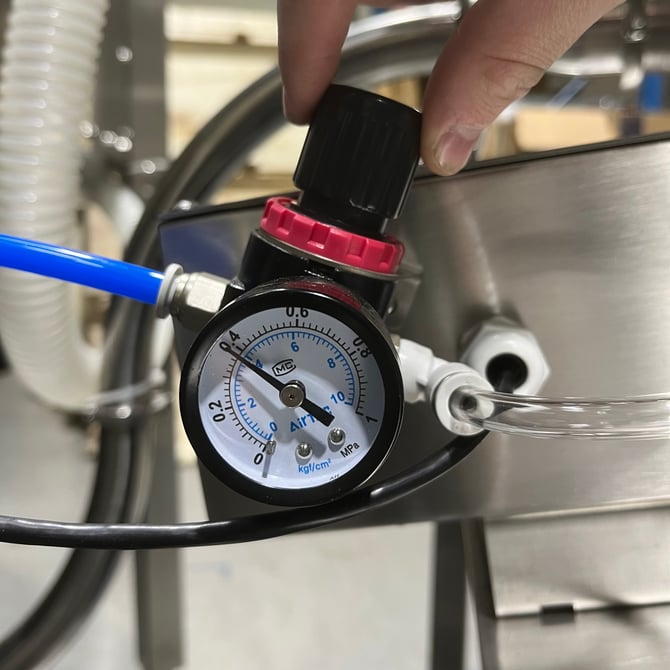
Locate the air regulator on your equipment. Pull the adjustment dial upwards until it clicks, then turn it until the pressure gauge reads 0.4mpa. Push the dial back in until it clicks to lock it in place.
If you need to release the air pressure from the equipment at any point, turn the dial to zero to bleed the air out safely.
 |
 |
What's Next
Your SOVDA Lift is now fully assembled and connected — well done!
If your order includes a Precision Hopper, there are a few additional steps to complete before your lift is fully operational: