
This guide covers removing both sets of shipping brackets from your Pearl Mini. It is Step 4 of the Pearl Mini Uncrate & Assembly Guide.
| Estimated Time | 5 minutes |
| People Required | 1 |
| Difficulty | Easy |
| Tools Required | 6mm hex key, 5mm hex key |
Before You Start
Your Pearl Mini ships with two sets of protective brackets fitted to keep parts safe during transit. Neither will be visible from the outside of the machine, you'll need to locate them as described below. Both must be removed before your machine can be used.
Step 1 — Remove the Central Support Bracket
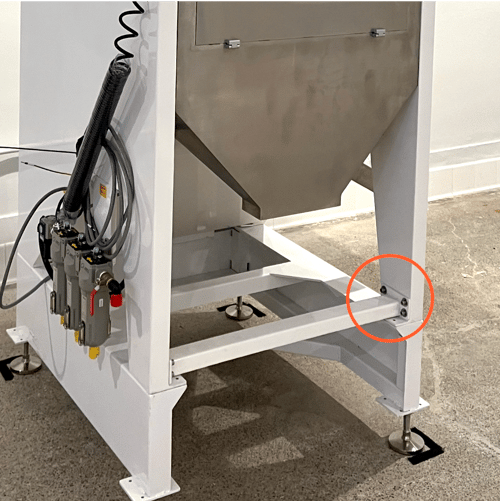
Locate the central support bracket on the leg of the machine. Using a 6mm hex key, remove the bracket completely. Once it's off, refit the screws back into the leg so they don't get lost.
Step 2 — Remove the Vibrating Motor Supports
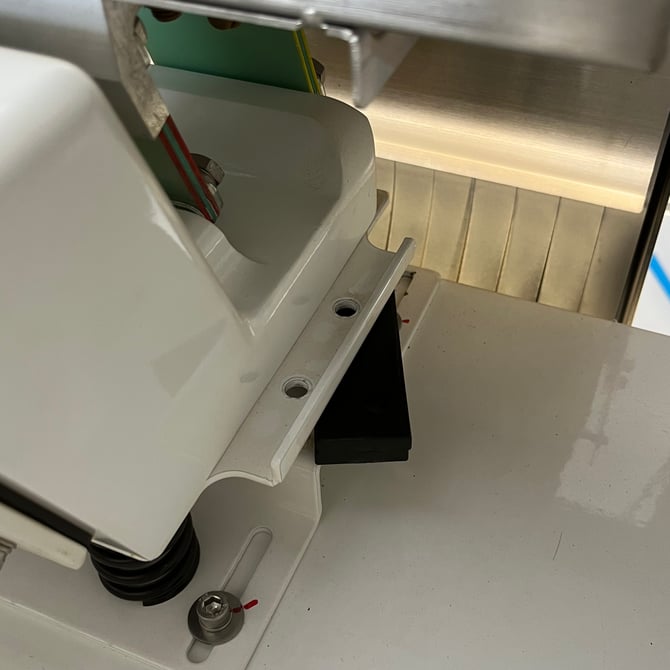
On top of the machine you'll find the vibrating motor, this is the component that moves coffee across the sorting plate during operation. On either side of the motor, you'll find a small black rectangular support piece wedged in place.
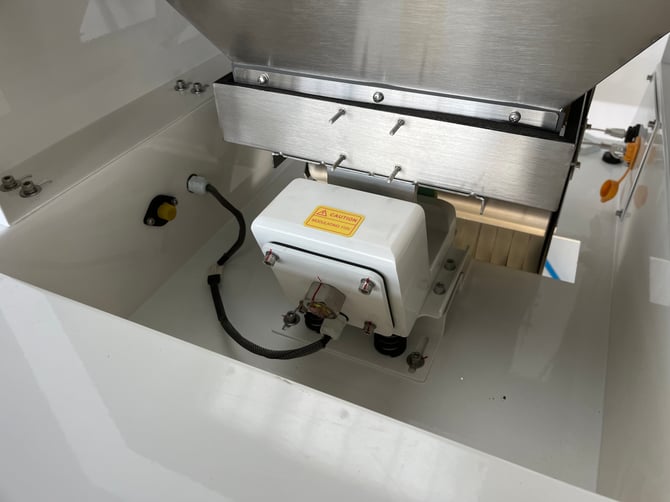
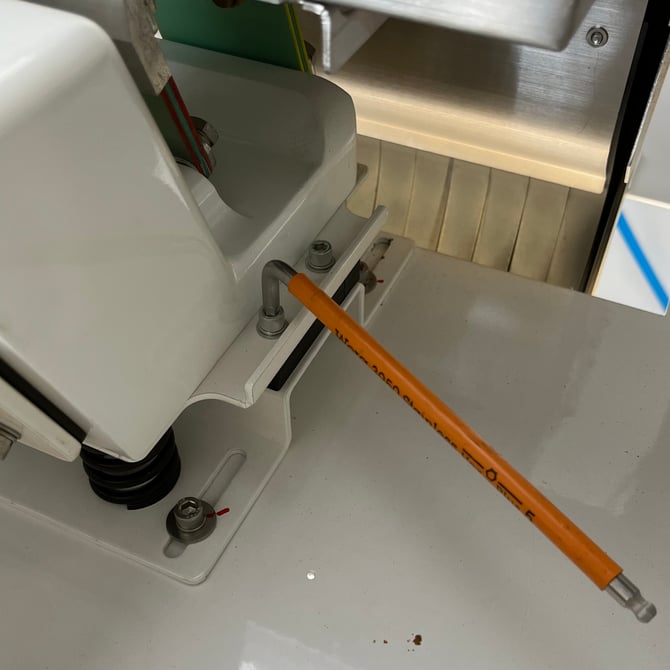
Using a 5mm hex key, remove the two screws on one side and take out the black support piece. Repeat on the other side.
You should have removed two support pieces in total — one from each side of the motor.
Set the supports and screws aside safely. You won't need them again, but it's worth keeping them in case they're ever needed in the future if you were to move the machine.
 |
 |
What's Next
If your hopper is already attached (orders from April 2026), skip ahead to Levelling your Pearl Mini.
Otherwise, head to Checking the Vibrating Plate Position to continue with your assembly.