
| Estimated Time | Less than 5 minutes |
|---|---|
| People Required | 1 |
| Difficulty | Easy |
| Tools Required | None |
Before You Begin
Your SOVDA equipment runs on compressed air, and the air regulator controls how much pressure reaches the machine. If it is set too high or too low, your equipment may not work properly. A Pearl Mini may reject good coffee, for example, or a SOVDA Blend may not start.
Your compressor must supply enough pressure first. The regulator can only lower the pressure coming from your compressor, it can't raise it. If you can't reach the right setting however you adjust it, check your compressor against the Site Preparation Guide.
If at any point you are unsure or uncomfortable, stop and contact Technical Service before continuing.
Step 1 — Find Your Regulator
Estimated time: less than 1 minute | 1 person
Each machine has its own regulator with a gauge. Find yours below.
| Product | Where to find it | Set to |
|---|---|---|
| Pearl Mini | Left-hand side of the machine, where the air hose connects. It has a blue dial. | 0.4MPa |
| SOVDA Blend | Bottom of the front cabinet | 0.4MPa |
| SOVDA Lift | On the right-hand side of the solenoid box behind the cyclone. | 0.4MPa |
| Precision Fill | On the back, or inside the left panel of the machine. | 0.4MPa |
| Precision Fill Mini | On the back, or inside the left panel of the machine. | 0.4MPa |
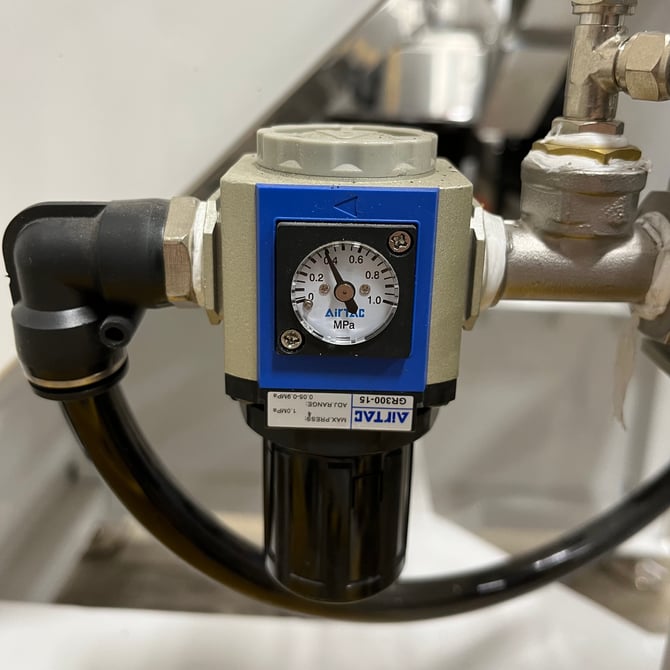
Pearl Mini |
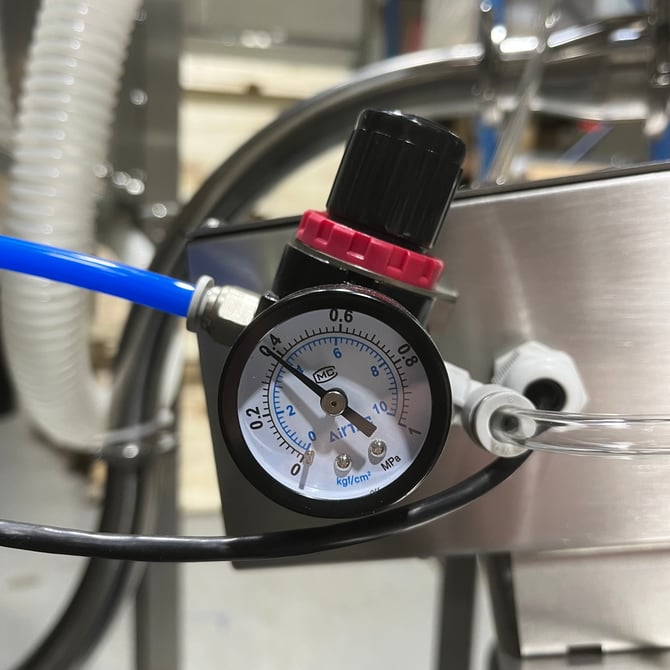
Lift |
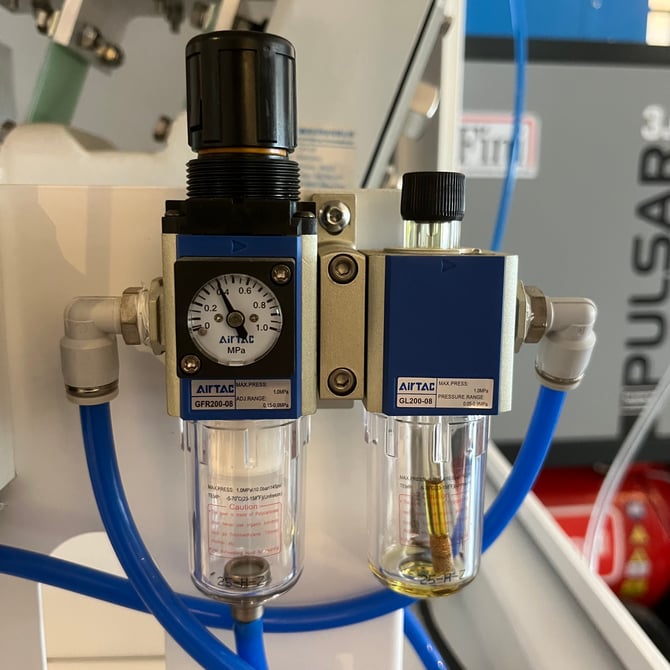
Precision Fill (new style) |
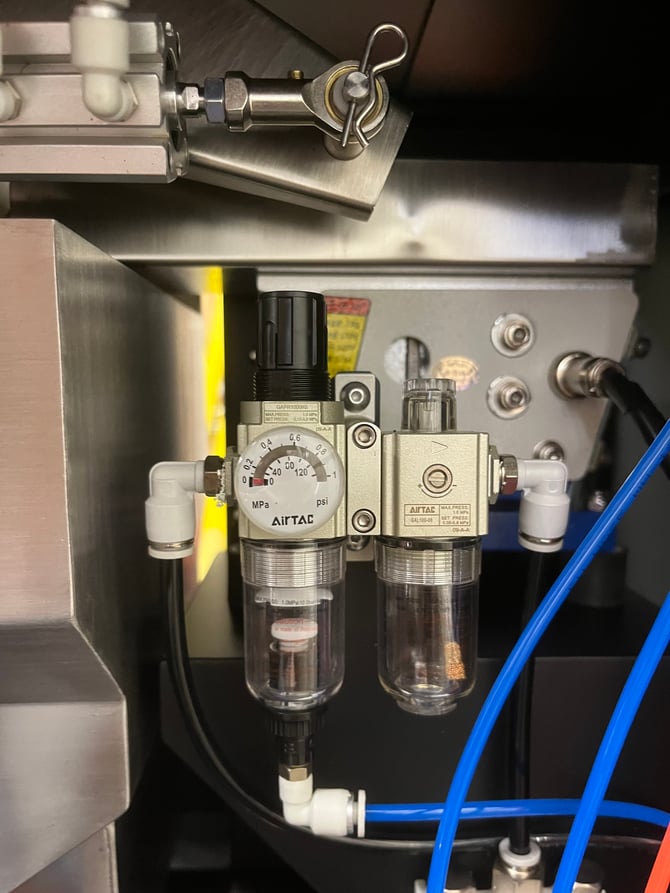
Precision Fill Mini (new style) |
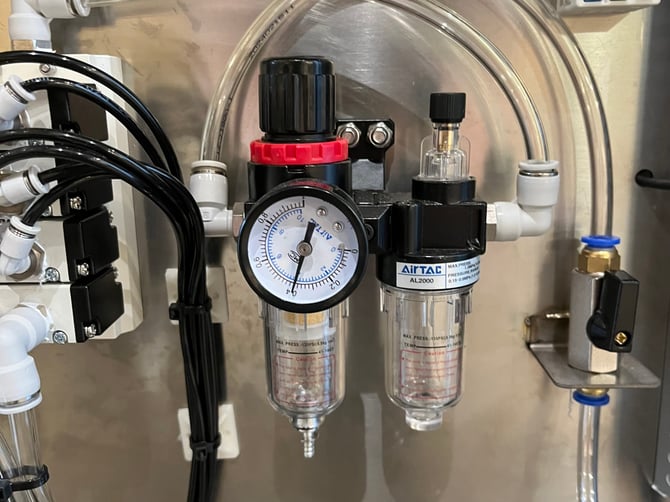
SOVDA Blend |
Step 2 — Read the Gauge
Estimated time: less than 1 minute | 1 person
Check the gauge with your compressor running and the air connected. If it already shows the right setting for your machine, you don't need to change anything.
Step 3 — Adjust the Pressure
Estimated time: less than 5 minutes | 1 person
Unlock the dial. Pull the dial upwards until it clicks. This unlocks it so it can turn.
Turn to adjust. Turn the dial clockwise to increase the pressure, or anticlockwise to decrease it. Turn it slowly and watch the gauge as you go.
Come up to the setting from below. If you go past the right setting, turn the dial back below it, then bring it up again slowly. This gives a more accurate and stable reading.
Lock the dial. Push the dial back down until it clicks, so it can't be knocked out of position.
Do not force the dial. If it won't turn, check it is unlocked. Forcing it can damage the regulator.
If the gauge won't hold steady, or won't reach the right setting, contact Technical Service.
What's Next
Run your machine as normal and check it is working properly.
If your regulator keeps drifting out of position, contact Technical Service. It is much better to check now than to have it cause problems mid-production.