
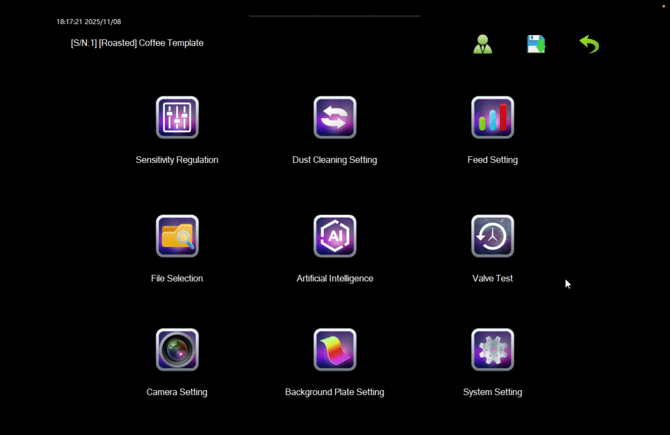
Throughout the software you'll see a green person icon, usually by the top-right hand side of the screen.
The default mode is Operator, which is displayed with a green person icon.This will allow you to use most of the functions of the Pearl Mini.
The Supervisor mode is displayed with a blue person icon, and you'll have access to most of the machine.
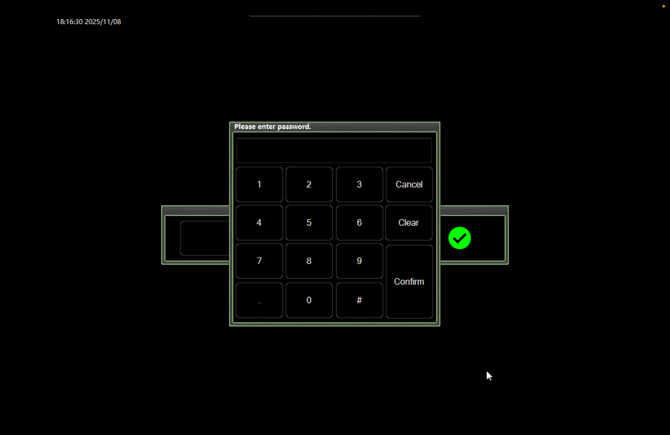
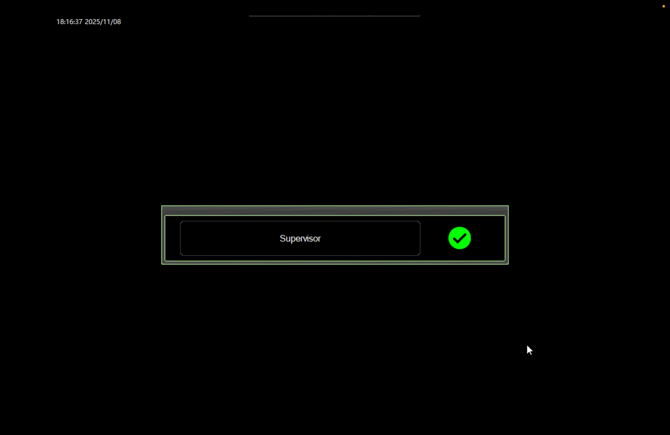
There may be a case, such as overwriting a profile, that you'll need to enter the Supervisor mode. To do this, click on the green person and click on 'Operator'. It will ask for a password, which is the date on the top left of the machine in this format YYYYMMDD. For example, for 13 November 2025, the password will be 20251113. Once you've confirmed, you'll see 'Supervisor' and you can click the green tick.
It's important to note when you are in Supervisor mode, you’ll have access to deeper machine settings such as System Settings, Camera Settings and Background Plate Settings. Under no circumstances should anyone go into, or amend these settings. In doing so could cause serious issues with sorting, and could result in a technician having to travel to recalibrate your machine.