
You're able to remotely connect to your Pearl Mini via another device. For this you'll need a USB powered Wifi bridge, an example of this shown below.
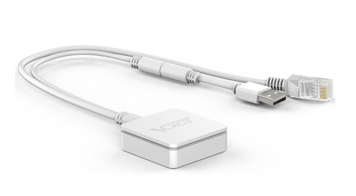
Tools Needed:
- A USB Powered WiFi bridge
- A device you wish to remotely control the Pearl
- A VNC Viewer app or program, such as RealVNC.
On the back side of your Pearl Mini, you'll have two ports which are both capped. Plug in both the USB for the power, and the ethernet cable into the Pearl.
Next, using your device, connect to the Wifi Network of the extender, network connection details will be on the product you've purchased.
Once you've connected to the extenders Wifi Network, go to the setting function within the Pearl Mini, and head to network.
On your mobile device or computer, you're able to use a VNC Viewer app or program to connect to the Pearl. You'll enter the network address as shown on the network screen. It should start 192 and look something like this: 192.168.253.100