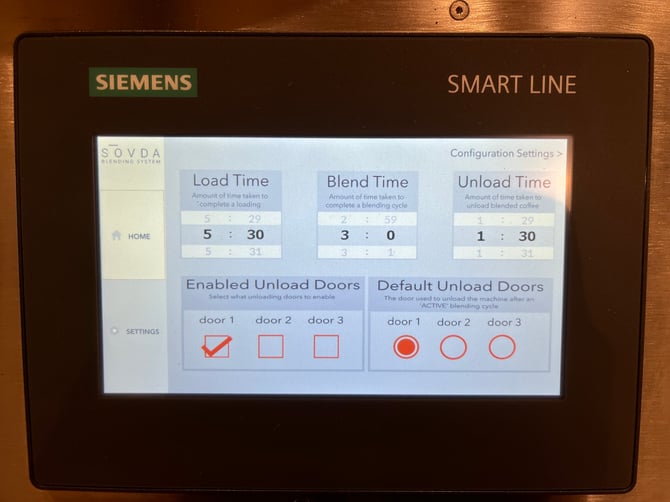
In the Settings Screen you’ll find the settings for the Automatic blending mode.
At the top of the screen, you’ll see a row of timers. These timers correspond to the three primary phases of the SOVDA Blend process:
-
Load Time – Determines how long the machine spends lifting beans into the blending chamber. Adjusting this value changes the volume of beans loaded before blending begins.
-
Blend Time – Sets the duration of the mixing process. Longer blend times result in a more thorough and uniform blend, while shorter times are useful for faster throughput or smaller batch sizes
-
Unload Time – Controls how long the machine spends emptying the blended coffee from the chamber. Increasing this time can help ensure complete discharge, especially with larger batch sizes.
Each timer can be customised to match the needs of your production environment, helping you optimise efficiency and achieve reliable, repeatable blending results. As you adjust these values, consider the characteristics of the coffees you’re working with and the batch size required.